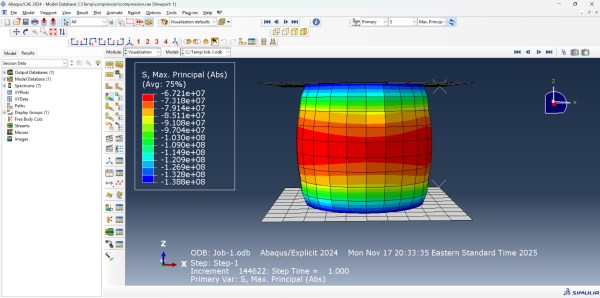
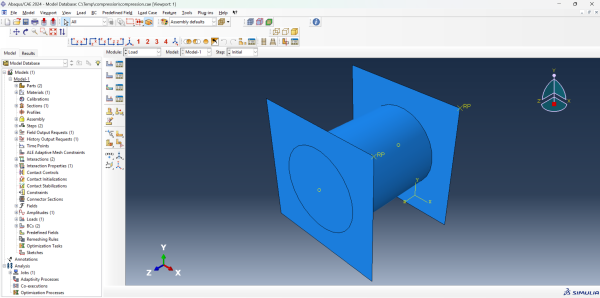
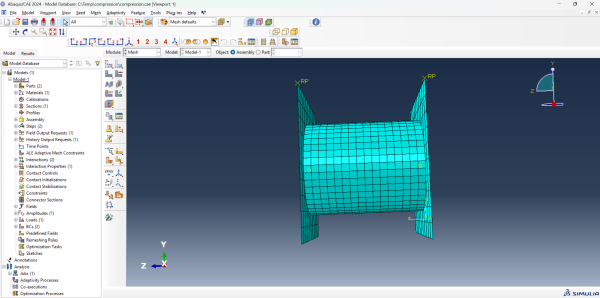
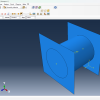
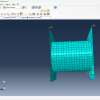
The Abaqus Compression Test Simulation Files package provides a complete setup to analyze compressive material behavior under static or dynamic loading.
This model is designed for researchers, students, and engineers who need a clean, verified, and simulation-ready compression test example in Abaqus.
Compression testing is one of the most essential mechanical tests for understanding material deformation, yield, and damage mechanisms. With these ready-to-run files, you can immediately simulate compression in metals, polymers, or composites — without building the model from scratch.
🔹 Overview
This Abaqus compression test simulation replicates a standard uniaxial compression setup, including the specimen geometry, platen interaction, and all essential boundary conditions.
The model is built using the mm–N–s unit system and configured for static, explicit, and quasi-static analyses.
All Abaqus Compression Test Simulation Files are tested and verified in Abaqus 6.14, 2017, and 2024, ensuring seamless compatibility across versions.
You can also edit material properties, mesh density, or step types to adapt the model for your specific material or test configuration.
📦 Included Files
Abaqus Compression Test Simulation Files
| File | Description |
|---|---|
| 🧾 CompressionTest_2024.cae | Fully built Abaqus model for version 2024 |
| 🧾 CompressionTest_6.14.cae | Compatible version for Abaqus 6.14 |
| ⚙️ CompressionTest.inp | Clean input file for import or customization |
| 📘 README.txt | Clear usage guide and simulation setup notes |
⚙️ Model Features
✅ Pre-defined compression specimen geometry (cylindrical or cuboid sample)
✅ Fixed and moving platens with frictional contact interaction
✅ Material properties easily editable (elastic-plastic, Johnson-Cook, etc.)
✅ Configured boundary conditions and loading amplitude
✅ Output for stress-strain curve, reaction force, and displacement
✅ Works in both Static General and Dynamic Explicit steps
This Abaqus Compression Test Simulation Files model is perfect for validating constitutive behavior, comparing material models, or studying strain localization under compressive loads.
💡 Learning Outcomes
After running this Abaqus Compression Test Simulation Files, you’ll learn how to:
– Define a proper compression testing setup in Abaqus
– Apply boundary conditions and contact interactions
– Interpret true stress–strain behavior from results
– Visualize plastic deformation and failure modes
– Generate force–displacement curves for post-processing
🧩 Applications
– Material characterization and calibration
– Compression failure analysis of metals or composites
– Johnson-Cook or ductile damage validation
– Educational use in mechanical testing labs
– Benchmark model for parametric studies
⚙️ How to Use
-
Open the
.caefile corresponding to your Abaqus version
→ File → Open → CompressionTest_2024.cae -
Alternatively, import the
.inpfile
→ File → Import → Model → CompressionTest.inp -
Define your material properties or use the default dataset
-
Run the simulation and view results under Visualization → XY Data → Stress–Strain
🎓 Ideal For
– Students learning mechanical testing simulation in Abaqus
– Researchers performing material validation or calibration
– Engineers comparing yield and hardening models
– Educators demonstrating compression analysis
This Abaqus Compression Test Simulation Files offers an instant start to understanding compressive material behavior — no setup, no guesswork, and fully editable for advanced studies.
📺 Watch the Tutorial
🎥 Compression Test in Abaqus — Finally Explained!
(Link to your YouTube tutorial once live)
🚫 Digital product. No refunds. All sales final.




&url=https://feamaster.com/product/welding-simulation-abaqus-file/&media=https://feamaster.com/wp-content/uploads/2025/05/Screenshot-2025-05-04-193714-1024x548.jpg)

Reviews
There are no reviews yet.